Dictate long prompts
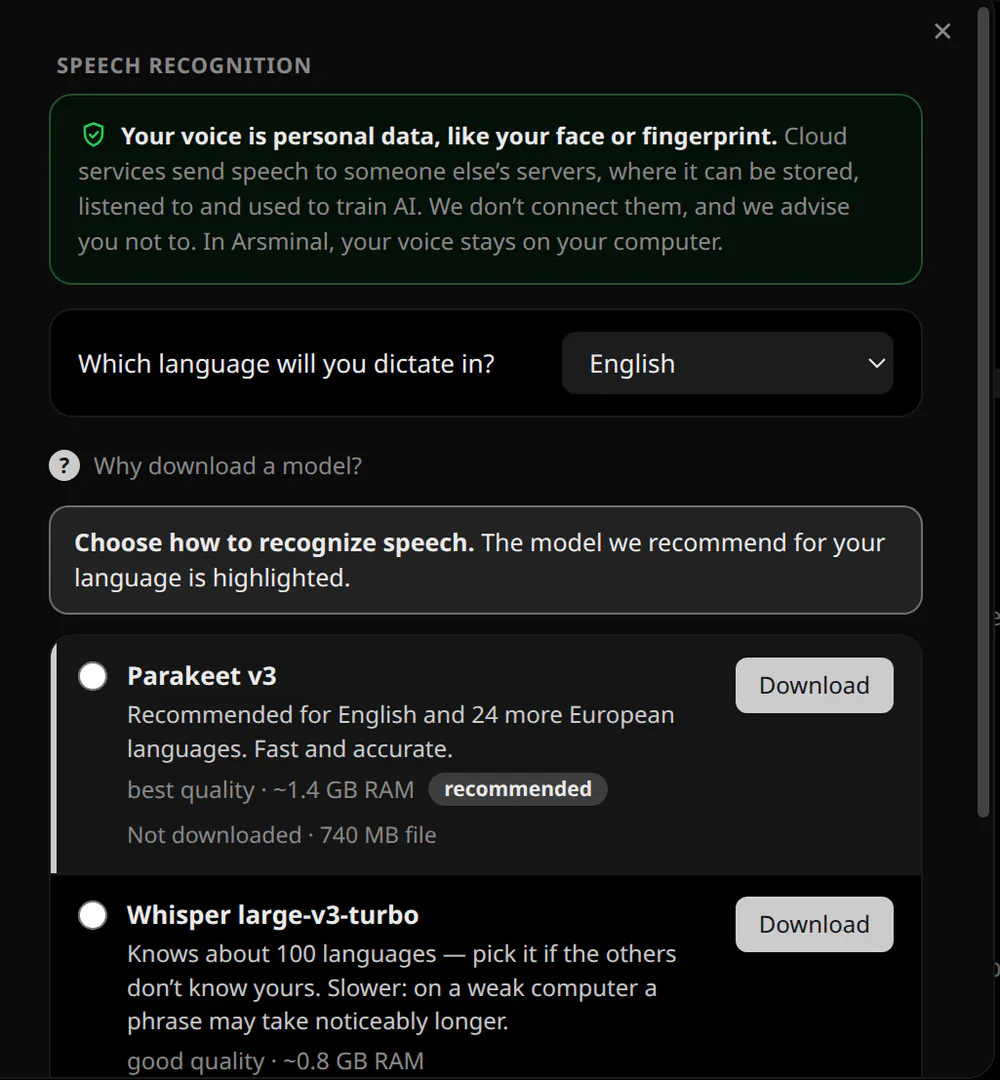
Long prompts are faster to say than to type. Press the microphone, talk, and the text lands in Claude Code. Speech is recognized on your computer, not in a cloud service.
Claude Code works, Arsminal organizes. Multitask between multiple sessions in separate chats, check which session needs your input and respond using your desktop, phone or your voice. Available for Mac, Windows & Linux. Free.
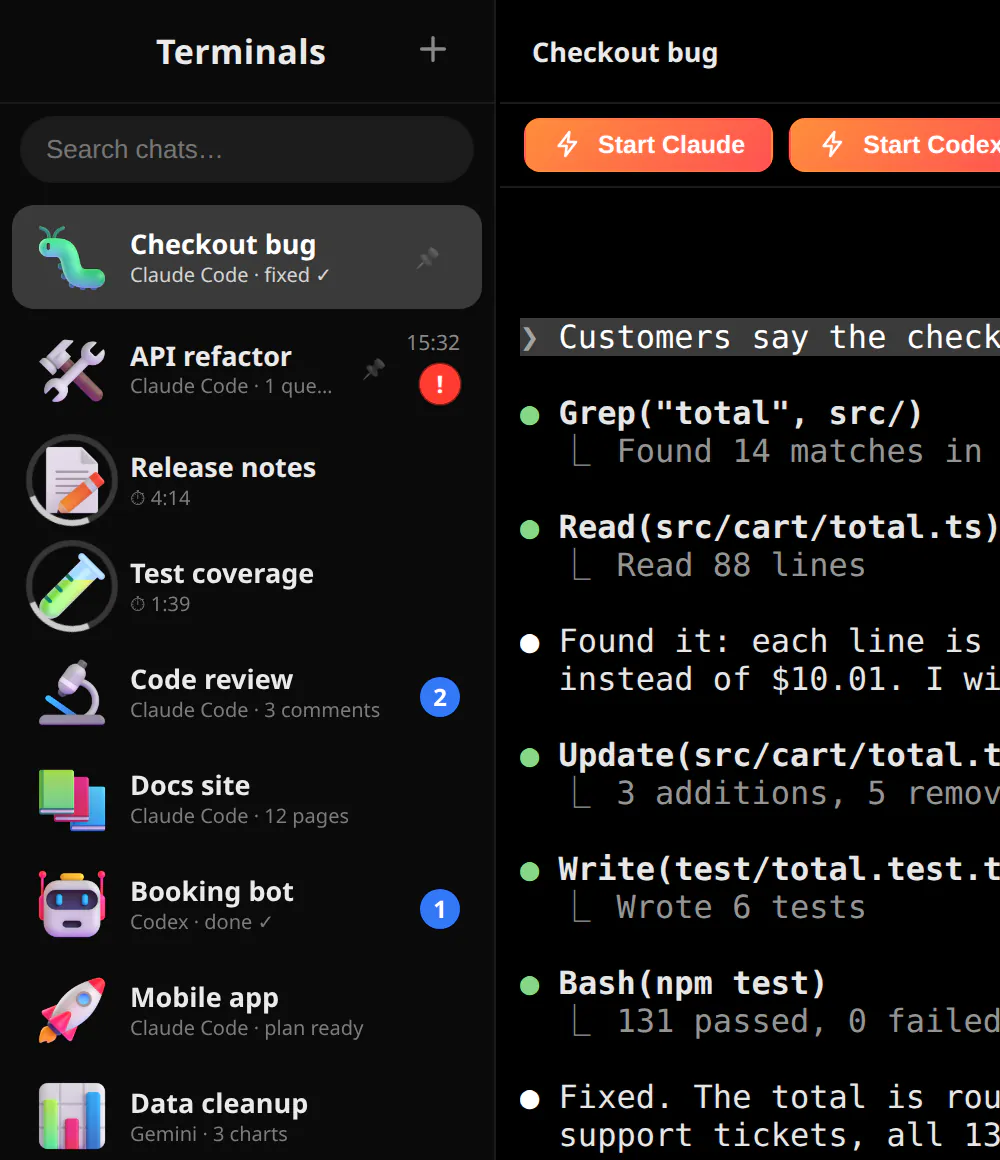
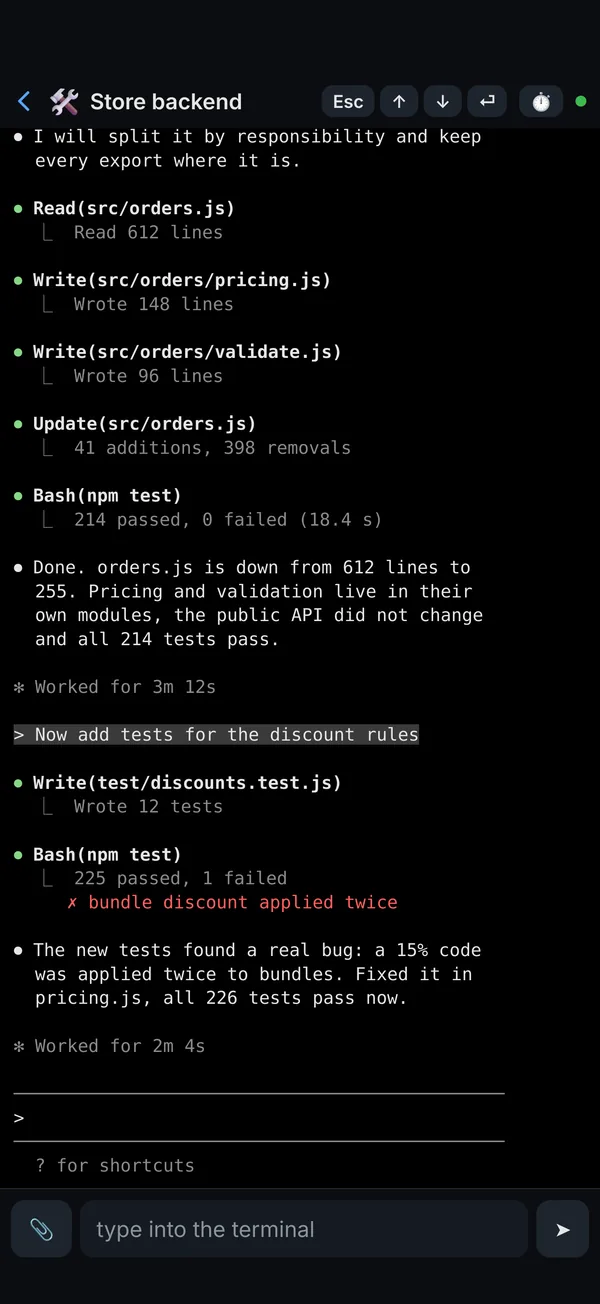
Real screenshots: Claude Code in Arsminal, on the computer and on iPhone
Works with any agent
Each chat is an actual terminal running the official Claude Code. Arsminal provides the features you need when working with 3–4 sessions simultaneously.
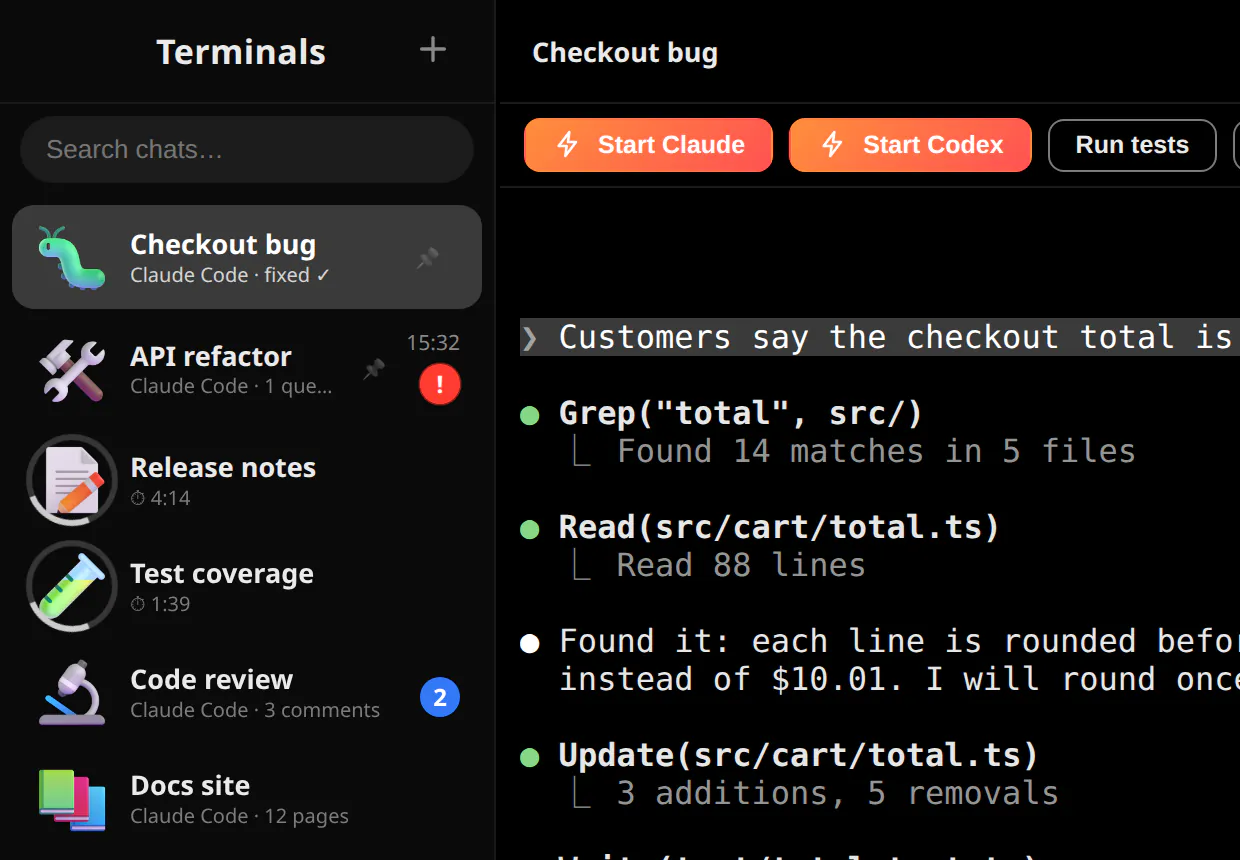
Create a chat for each project/task, give it a name & sticker. Easily switch between chats with just one click. With a simple refresh, Continue will restore the previous Claude conversation.
Claude Code requests permissions or needs your attention? Chat will turn red, jump to the top & notify you.
Launch Claude Code with a single click (in cautious mode, where it will ask for confirmation before performing any action) or in Danger mode. Send any prompt or command with your custom buttons with a single click.
Enable the status bar to view Claude’s model, context usage, session price & plan limitations directly from Claude Code.
Drag & drop files onto the window, copy/paste screenshots or select files using the paperclip icon. Claude Code will process them.
Same application, same functionality for Mac, Windows & Linux.
A permission prompt in a background tab can wait for an hour before you notice it. In Arsminal the chat gets a red badge and moves to the top, the computer shows a notification and a paired phone can get a push. A ring with a timer marks the sessions that are still working.
Pair your phone by QR code and every session goes with you: read the output, approve a step, type or dictate the next prompt, or schedule it. The link is end-to-end encrypted with ML-KEM-768 and X25519, so the relay in between only passes bytes it cannot read.
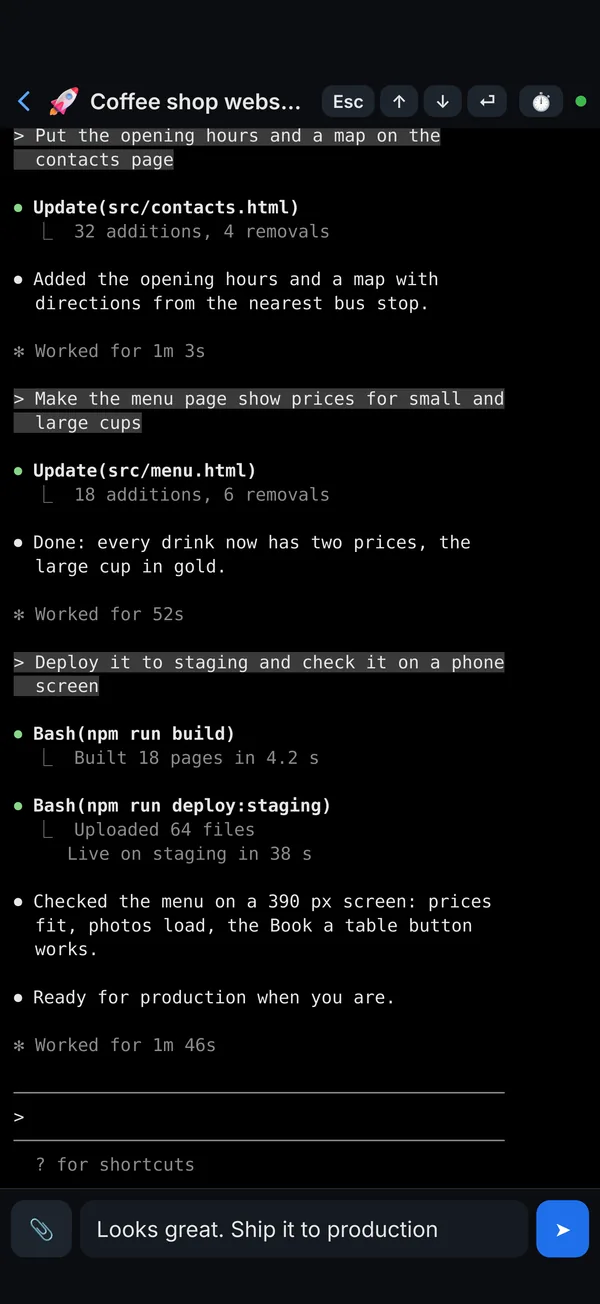
Long prompts are faster to say than to type. Press the microphone, talk, and the text lands in Claude Code. Speech is recognized on your computer, not in a cloud service.
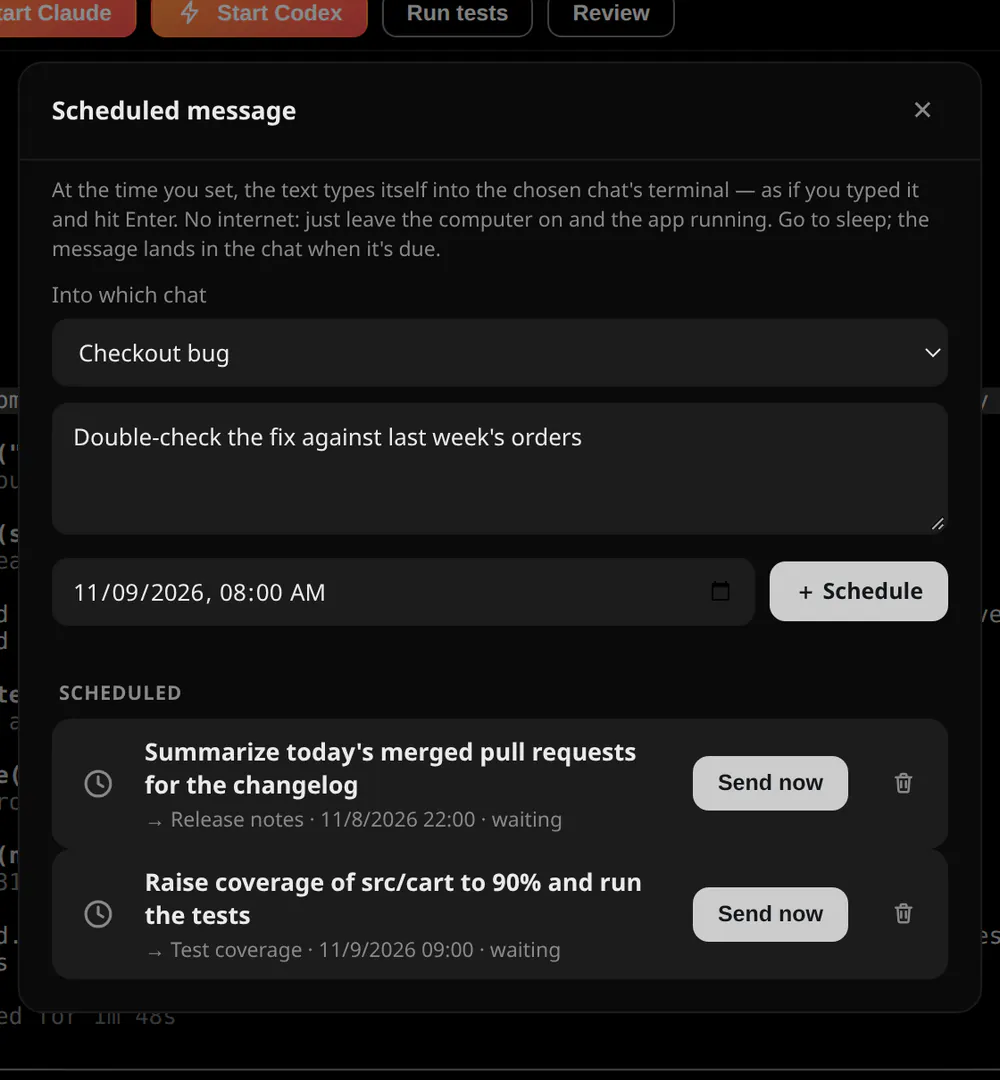
Ask Claude Code to raise test coverage at 9:00 or to write the changelog tonight. At that time the message types itself into the session.
All four run Claude Code. The difference is what you get around it. Facts about cmux, herdr and Warp come from their official sites, docs and GitHub.
 Arsminal | cmux | herdr | Warp | |
|---|---|---|---|---|
| Shows which agent needs you | Yes: Red badge, notification, push to your phone | Yes: Rings, unread badges, notifications1 | Yes: Working, waiting and done states in the sidebar2,3 | Yes: Tab icons and notifications; one-time setup for Claude Code and Codex4,5 |
| Phone | Yes: Pair by QR code; end-to-end encrypted link to your own computer | Partly: iOS app in beta on TestFlight, early access with paid plans1,6 | Partly: No official phone app mentioned; you can attach over SSH from a mobile terminal7,8 | Partly: Remote Control uploads the session to Warp’s cloud; open the link on a phone9 |
| Voice input | Yes: Recognized on your computer | Not mentioned on the official site: Not mentioned | Not mentioned on the official site: Not mentioned | Yes: Yes, transcribed by Wispr Flow10 |
| Scheduled messages | Yes: Typed into the chat at the time you set, on your computer | Not mentioned on the official site: Not mentioned | Not mentioned on the official site: Not mentioned | Partly: Scheduled cloud agents (cron)11 |
| Windows | Yes: Desktop app, installer | No: The app is macOS only. cmux TUI, a terminal multiplexer, runs on Windows12,13 | Yes: App on x86_64, Herdr TUI too2,14 | Yes: Desktop app, x86_64 and ARM6415 |
| Linux | Yes: Desktop app, AppImage | No: The app is macOS only. cmux TUI runs on Linux12,13 | Yes: App on x86_64 and arm642 | Yes: Desktop app: .deb, .rpm, AppImage15,16 |
| macOS | Yes: Apple Silicon and Intel | Yes: macOS 14 or later17 | Yes: Apple silicon2 | Yes: Intel and Apple silicon15 |
| Price | Yes: Free. No ads, no subscription | Yes: Free app; paid plans for cloud machines (Pro $50/mo, Max $200/mo)6 | Yes: Free2 | Partly: Free plan; Build $20/mo, Max $200/mo, Business $50/user/mo16 |
| Open source | No: No, free to use but closed source | Yes: Yes, GPL-3.0-or-later12 | Yes: Yes, Apache 2.02,3 | Partly: Client yes (AGPL v3); server and cloud parts no18 |
Claude Code can be used in any terminal. A good terminal makes it easy to keep track of multiple sessions. With Arsminal you get a separate chat for each session, see which one is waiting for your input and answer using your phone or your voice. Arsminal is available for free on Mac, Windows and Linux.
Arsminal also comes with an installer for Windows. It works just like on Mac, with a separate chat for each session, notification if Claude Code wants something from you, voice recognition on your computer and remote control via phone.
Yes. Open a new chat for each task and run Claude Code in them. See which session is running, finished or awaiting your attention.
Arsminal displays a red badge, bumps the chat to the top and sends a notification when Claude Code needs your input or approval. It can also push a notification to your paired phone.
Yes. Pair your phone by QR code and you can read the output, approve steps and send prompts, typed or spoken. The link is end-to-end encrypted.
No. Arsminal runs the official Claude Code in a real terminal with your own Claude account, and adds chats, notifications, voice, scheduled messages and your phone around it.
Yes. No ads, no subscription. Arsminal is free to use but not open source.
Free for everyone, on macOS, Windows and Linux. No ads, no subscription.