For people who don’t code
AI Terminal
for Agentic Coding
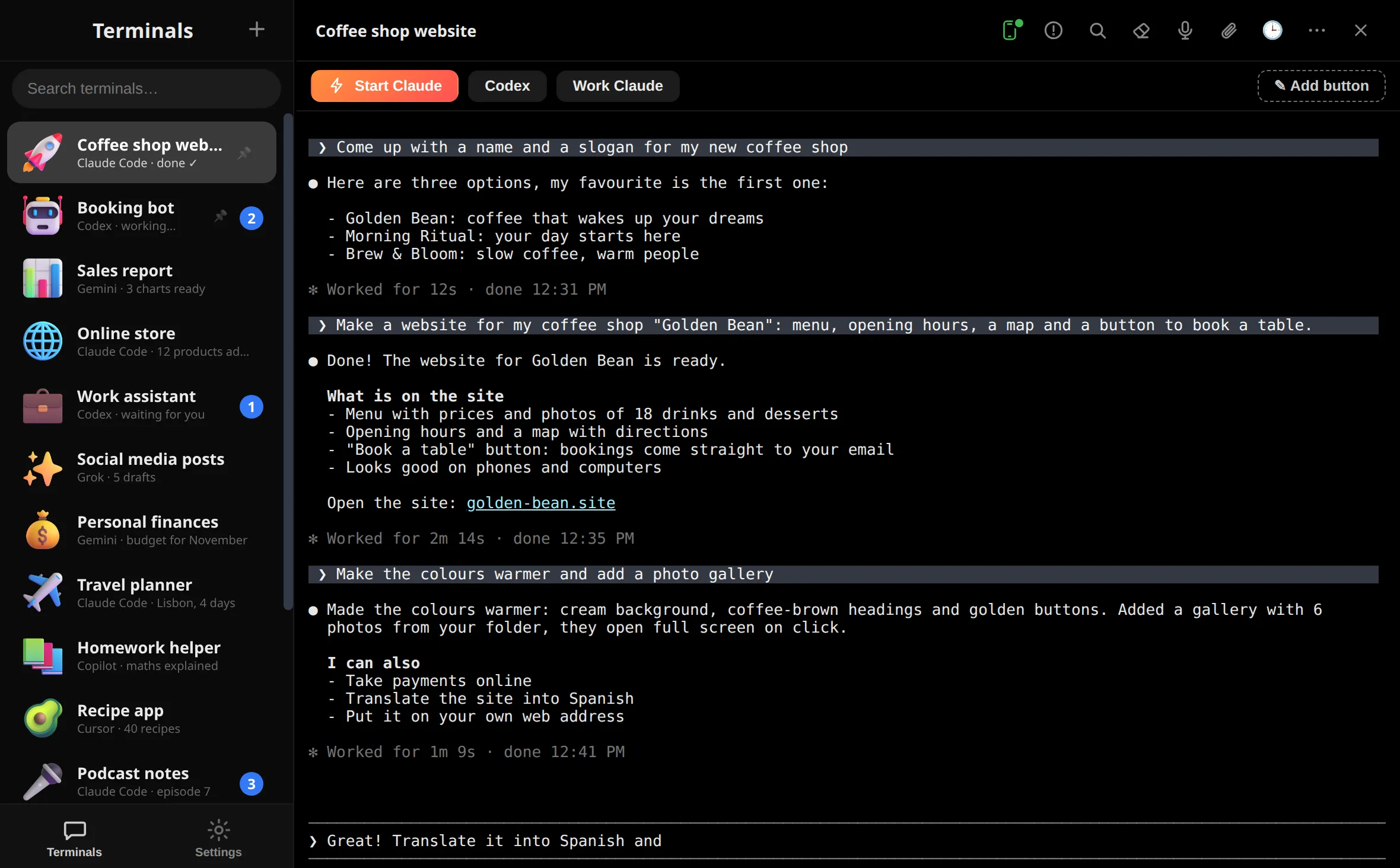
Run multiple AI coding agents side by side: a terminal for AI agents that works like iMessage or WhatsApp. All your agents in one window: chats on the left, the conversation on the right. No clutter of code editors, no pile of terminal windows. Type or just talk, the agents do the work. From your computer or your phone.
This is not a picture. Click the chats, type, press the buttons
Works with any agent
- Claude Code
- Codex
- Gemini
- Grok
- DeepSeek
- Cursor
- Copilot
- Qwen
- Mistral
- Ollama
Every terminal is now a chat, like in a messenger
Under the hood, each chat is a real terminal with its own agent. I made it look like chatting with your agents, just like you do with customers via a messenger. Without any coding or command lines.
Work with AI agents by voice
No typing. Speak into the microphone like you would to record a voice message. Your agent receives the text and begins work, saving you time by getting tasks completed several times faster. All speech recognition happens locally on your computer, recordings are never uploaded.
Scheduled messages. Schedule tasks for later. If you write something today, your agent will receive it tomorrow at 9:00 am. Even if you’re sleeping.
Your own buttons. Create buttons for most used commands. Click to launch your agent. Customize, add, rename and change colors of buttons.
Attach files. Just like in any messenger, attach files by clicking on the paperclip icon and selecting a file. In a terminal you’d have to specify the file path.
Run all your agents from your phone
Your whole team of agents in one list on your phone. Chats stay in sync: start on the computer, carry on from the café.
Tap a chat. What you send here shows up on the computer too
Get the phone app: iPhone in the App Store, Android as an APK from this site →
Your data stays with you
Arsminal does not store any chat history, code, or files. We don’t have a database of your conversations — there’s nothing to leak, and nothing to learn from. Run it at work with your clients’ code and proprietary information.
ML-KEM-768 + X25519End-to-end encrypted communication between your PC and your phone. Quantum-safe: messages captured now won’t be readable by future quantum computers
What we store: your login email & name. Your agent (e.g. Claude or Codex) communicates with its provider according to their T&C like in any terminal.
Like departments in a company, only they are agents
In a big company your messenger had a marketer, an analyst, a developer, HR. Here it is the same: every agent has its own chat and its own role. One builds the website, another digs into sales, a third writes the ads, each in its own project. You move between them like between colleagues in Telegram.
No ads, no subscriptions. Arsminal is totally free.
Make it yours
Night mode (black) or day mode (white). And also a relaxed theme for your sore eyes. Or Auto: it automatically changes depending on time. Set any image as your background for each chat.
And 9 more themes in settings:ClassicSolarizedSolarized LightNovelDraculaSageMatrixNordSunset
Up and running in three minutes
Frequently asked questions
Is Arsminal really free?
Yes, Arsminal is truly free.
Do I need to know how to code?
No. Arsminal is for non-developers. You can describe what you want using simple language, and the agent will generate code for you.
Which agents does it work with?
Claude Code, OpenAI Codex, Gemini, Grok, DeepSeek, Cursor, GitHub Copilot and local agents running on your computer.
Why many agents and not one?
For the same reason a company has more than one employee. One agent per role or project: marketer, analyst, developer. They work at the same time without getting in each other’s way, and you see who is done and who is waiting for you. They can all be Claude Code.
How is it different from a terminal?
Terminal is a single black window with commands. Arsminal is a chat app with voice messages, scheduled messages, buttons, themes, and your phone.
Where are my conversations stored?
Only locally on your computer. Your phone connection is fully encrypted (end-to-end).
Windows, Linux, phone?
Arsminal is released simultaneously for macOS, Windows and Linux. Your phone has its own app: for iPhone in the App Store, for Android as an APK from this site, see arsminal.com/app. It is paired with your computer via a QR code.

Download Arsminal
Free for everyone. macOS, Windows and Linux at once. For the phone: the app for iPhone and Android.